
DuitNow Deposit at LUCKYTOWN PLUS - Complete Guide
Why Use DuitNow for Deposits at LUCKYTOWN PLUS?

Method 1: UPay Duit Now Top Up on LUCKYTOWN PLUS - Step-by-Step Guide
UPay DuitNow - Deposit Limits & Supported Payment Apps
UPay DuitNow supports deposits from MYR10 up to MYR2,000. You can pay with Boost, GrabPay, ShopeePay, Maybank QR, and other DuitNow-supported apps. Set the Bank Code as DuitNow before you continue.




Step 1: Tap Me
Log in to your LUCKYTOWN PLUS account and tap Me from the app navigation.
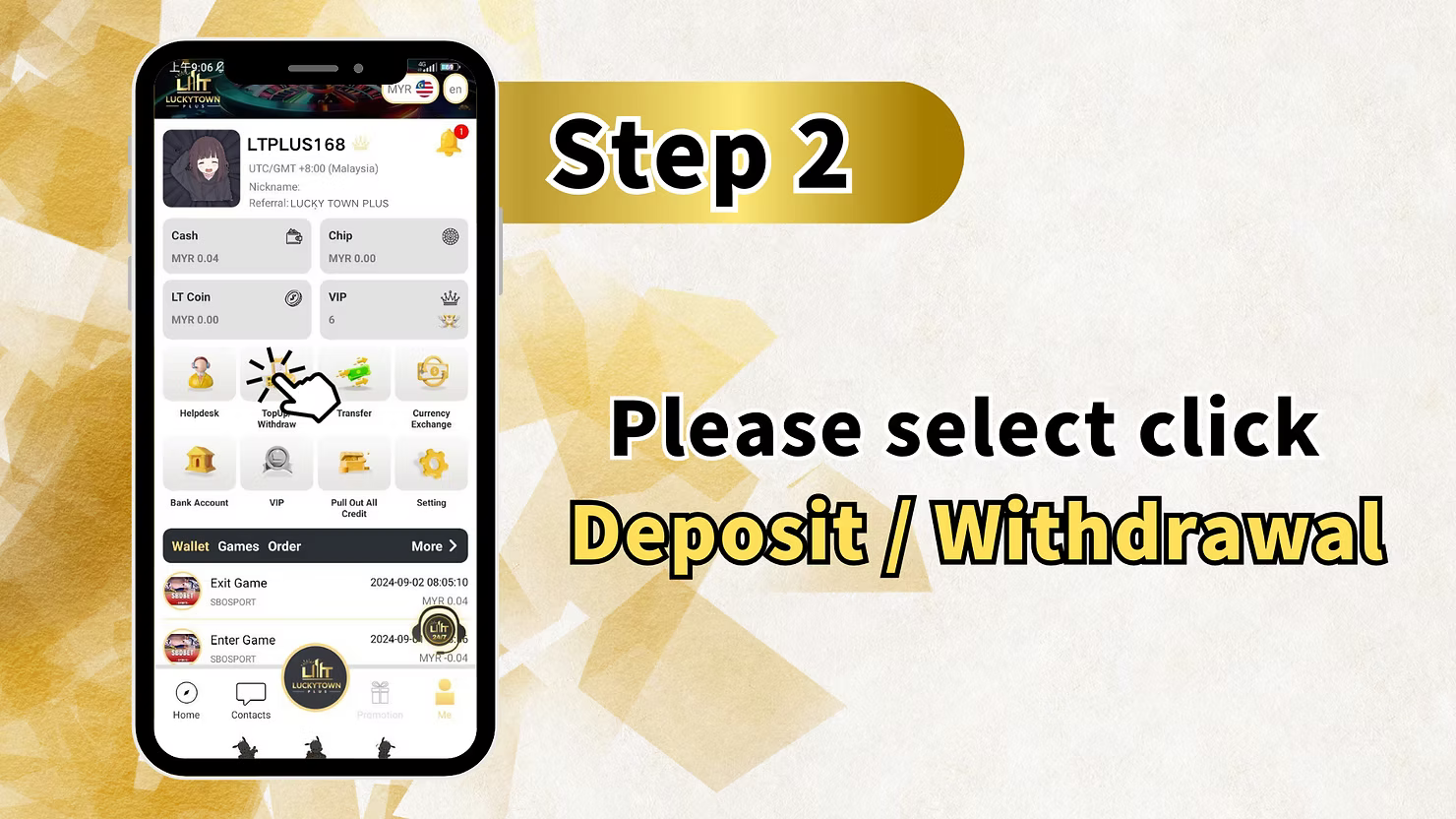
Step 2: Tap TopUp / Withdraw
Open the wallet area and choose TopUp / Withdraw to enter the deposit screen.
Step 3: Choose Duit Now and UPay
Select Duit Now, choose UPay, and make sure the Bank Code is set to DuitNow.
Step 4: Enter the Amount
Enter your deposit amount, choose the payment method you want to use, and tap Next.
Step 5: Scan the Generated QR
Scan the QR code labeled LUCKY TOWN PLUS - MALAYSIA NATIONAL QR. The QR is only valid for a limited time, so do not refresh it and complete the payment before the timer expires.
Step 6: Return and Wait for Credit
Go back to the app after payment. The system will detect the transfer and credit your wallet automatically. If the deposit is not credited within 15 minutes, contact online customer service.
Method 2: GoPay Duit Now Top Up on LUCKYTOWN PLUS - Step-by-Step Guide
GoPay DuitNow - Deposit Limits & Important Notices
GoPay or SpeedPay DuitNow supports deposits from MYR20 up to MYR10,000. ShopeePay is not accepted for this method, and you must enter your full real name exactly as shown on your IC.


Step 1: Tap Me
Log in and tap Me to open your account section.
Step 2: Tap TopUp / Withdraw
Choose TopUp / Withdraw to access the deposit options.
Step 3: Choose Duit Now and GoPay or SpeedPay
Select Duit Now, then choose GoPay or SpeedPay. Check the MYR20 minimum and MYR10,000 maximum before proceeding.
Step 4: Enter the Amount
Enter the amount you want to deposit and tap Next.
Step 5: Review the QR Payment Screen
The screen will show a LUCKY TOWN PLUS QR code. Enter your full legal name exactly as per your IC. ShopeePay is not accepted. Use a compatible banking app or e-wallet such as GrabPay, Boost, Maybank QR, or another DuitNow QR-supported app.
Step 6: Scan and Pay Before Timeout
Open your banking app or e-wallet, scan the QR code, confirm the amount, and complete the payment before the countdown reaches zero. This QR code is for one-time use only.
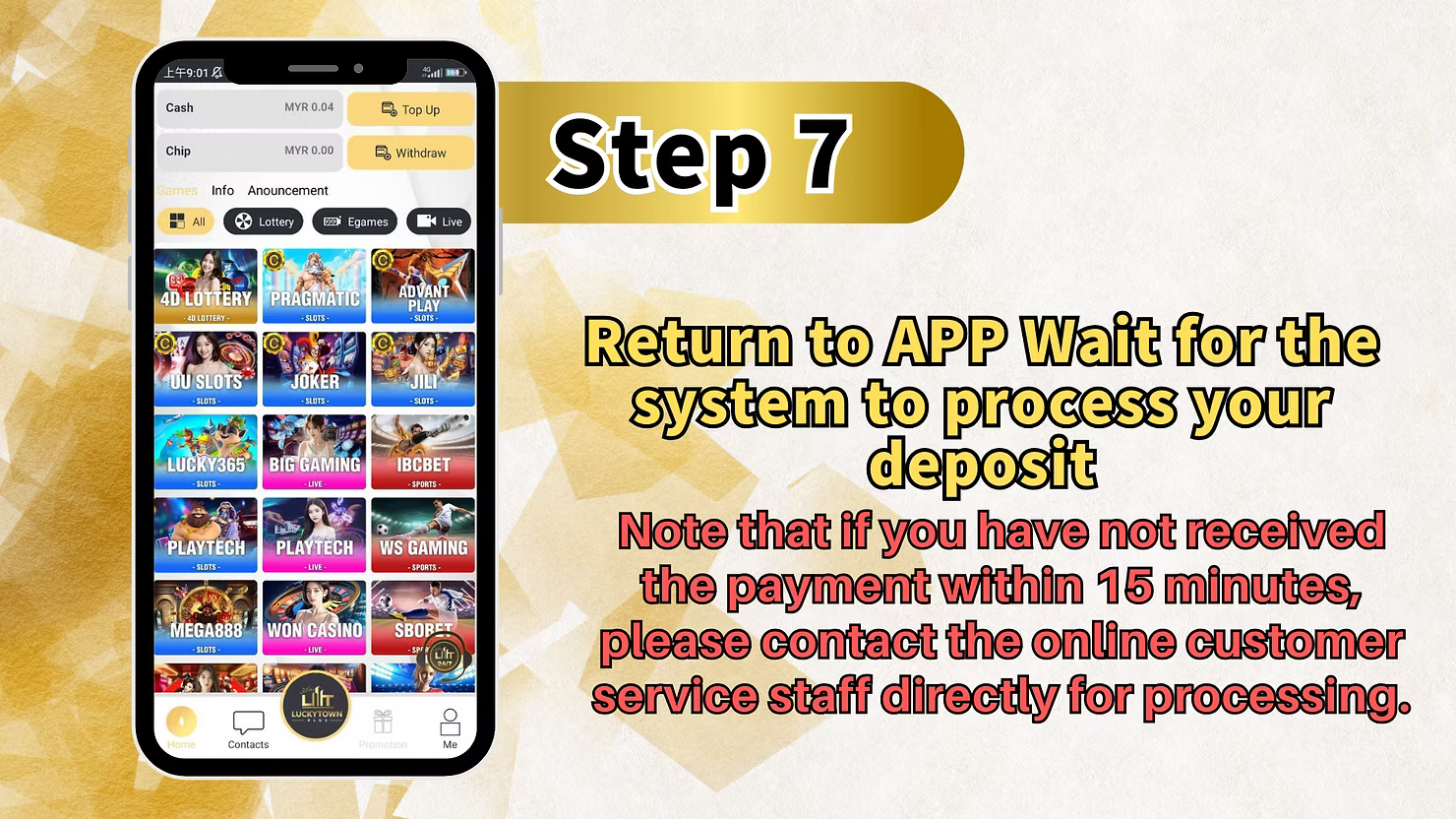
Step 7: Return and Wait for Credit
Return to the app and wait for the credit to be processed. If the deposit does not appear within 15 minutes, contact customer support.
Key Differences Between UPay DuitNow and GoPay DuitNow on LUCKYTOWN PLUS
UPay vs GoPay - Which Method Should You Choose?
Choose UPay DuitNow if you want the lower MYR10 minimum deposit or if you plan to pay with ShopeePay. Choose GoPay or SpeedPay DuitNow if you need a higher limit up to MYR10,000 and can provide your full real name exactly as per your IC. UPay supports Boost, GrabPay, ShopeePay, Maybank QR, and DuitNow-compatible apps, while GoPay does not accept ShopeePay.