
Lottery Betting Instructions at LUCKYTOWN PLUS - Complete 4D Guide
Why Bet on 4D Lottery at LUCKYTOWN PLUS?
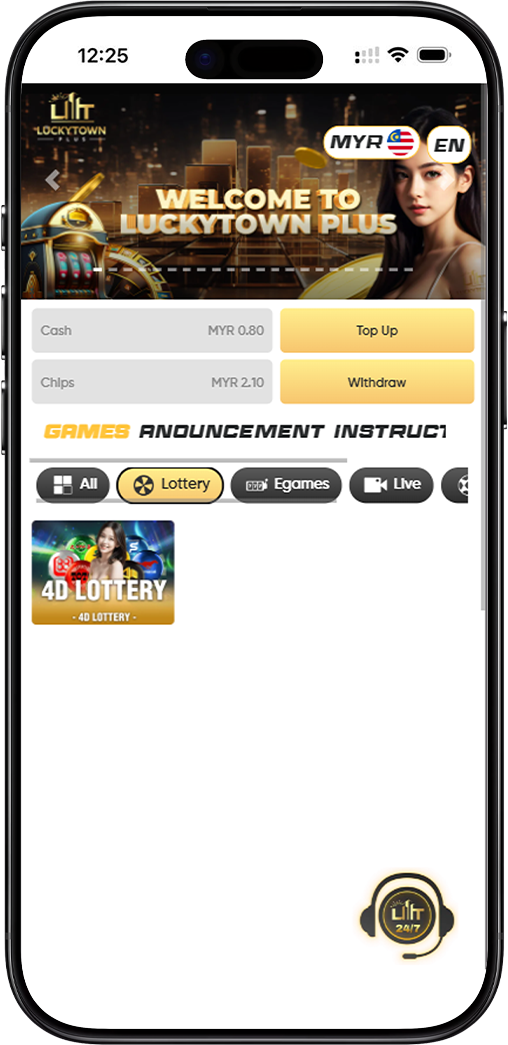
LUCKYTOWN PLUS offers a comprehensive 4D lottery betting experience that covers all major Malaysian and regional lottery platforms. Players can place bets on Magnum, Da Ma Tai, Toto, Singapore, Sabah 88, Sandakan STC, Sarawak Da Wan, Grand Dragon, and 9Lotto within a single app.
Before placing your first bet, you should understand the platform codes used on LUCKYTOWN PLUS. M stands for Magnum, P for Da Ma Tai, T for Toto, S for Singapore, B for Sabah 88, K for Sandakan STC, W for Sarawak Da Wan, H for Grand Dragon, and E for 9Lotto.
LUCKYTOWN PLUS Lottery Betting Instructions - Full Step-by-Step Guide for LUCKYTOWN Members
Step 1: Select 4D Lottery from the main page
After logging in to your LUCKYTOWN PLUS account, open the home page, find the Lottery section, and tap 4D Lottery to enter the lottery betting interface.
Step 2: Tap Enter to begin betting
On the 4D Lottery page, review the available odds, then tap Enter to open the lottery betting catalog where you can choose the game and betting setup you want.
Step 3: Select the lottery item and click 4D
Browse the catalog, pick the lottery item you want, and tap 4D to open the full number-selection and betting form.
Step 4: Select your betting date
Choose the draw date for your bet. LUCKYTOWN PLUS supports multiple draw dates in one session, so you can apply the same numbers to several upcoming draws at once.
Step 5: Choose your lottery betting platform
Select one or more lottery platforms using the letter codes displayed on the interface: M for Magnum, P for Da Ma Tai, T for Toto, S for Singapore, B for Sabah 88, K for Sandakan STC, W for Sarawak Da Wan, H for Grand Dragon, and E for 9Lotto.
Step 6: Enter your betting number
Type in the 4-digit number you want to bet on. The system supports multiple numbers in the same session, allowing you to build a wider 4D betting list.
Step 7: Enter your betting amount
Fill in the betting amount for each selected number. Make sure your balance is enough to cover every chosen number, platform, and draw date before you continue.
Step 8: Select your purchase form
LUCKYTOWN PLUS supports five purchase forms: Single, Return, Box, i-Box, and PH. Choose the one that matches your betting strategy before confirming the bet.
Understanding 4D betting types on LUCKYTOWN PLUS
For standard 4D betting, B covers First, Second, Third, Special, and Consolation prizes; S covers First, Second, and Third prizes only; and 4A targets First prize only. In 4D Special, 4A targets First prize, 4B Second prize, 4C Third prize, 4D Special prize, 4E Consolation prize, and 4F combines First, Second, and Third prizes.
Step 9: Click Bet to confirm your lottery bet
Once the draw date, platform, number, amount, purchase form, and bet type are ready, tap Bet to submit the wager. The system will show a successful-bet confirmation with the details of your submitted lottery bet.
How to View and Cancel Your Lottery Bets on LUCKYTOWN PLUS
How to access your bet list
Tap the three-line menu icon in the upper left corner of the lottery interface, then choose Bet List to review your submitted bets by date.
How to view your bet receipt
Select the relevant bet date in the Bet List to open the successful-bet receipt, which shows the platform, number, draw date, purchase form, bet type, and amount wagered.
How to cancel a lottery bet
Open the relevant receipt, tap Click Here, then tap Void to request cancellation. The system will show a cancellation confirmation if the bet is still within the allowed void window before the draw closes.
Lottery Platform Codes Reference Guide on LUCKYTOWN PLUS
Full list of supported 4D lottery platforms
LUCKYTOWN PLUS supports nine major platforms: Magnum, Da Ma Tai, Toto, Singapore Pools, Sabah 88, Sandakan STC, Sarawak Da Wan, Grand Dragon, and 9Lotto. These are represented in the interface by the codes M, P, T, S, B, K, W, H, and E.
Tips for Betting on 4D Lottery on LUCKYTOWN PLUS
Bet on multiple platforms for better coverage
You can place the same number across several platforms in one session, which helps you cover more draws without entering separate bets one by one.
Use multiple draw dates to stay active automatically
Selecting several upcoming draw dates allows your chosen numbers to stay active across multiple rounds without repeating the full setup each time.
Choose the right bet type to match your prize preference
B gives the widest coverage, S focuses on the top three prizes, and 4A targets the first prize only. The 4D Special options are useful when you want a more specific prize-tier strategy.
Frequently Asked Questions About 4D Lottery Betting
Can I bet on multiple lottery platforms at the same time on LUCKYTOWN PLUS?
Yes. You can select multiple platforms in a single session and place the same number across M, P, T, S, B, K, W, H, and E at the same time.
What is the difference between 4D bet types B, S, and 4A?
B covers First, Second, Third, Special, and Consolation prizes. S covers only the top three prizes, while 4A focuses only on the First prize.
How do I cancel a bet I have already placed?
Open the three-line menu, go to Bet List, choose the right bet date, open the receipt, tap Click Here, and then tap Void before the draw closes.
What is the 4D Special betting option on LUCKYTOWN PLUS?
4D Special lets you target specific prize tiers directly with 4A, 4B, 4C, 4D, 4E, and 4F, depending on the prize category you want to focus on.
Start Placing Your 4D Lottery Bets on LUCKYTOWN PLUS Today
Ready to try your luck with 4D lottery betting? LUCKYTOWN PLUS gives you access to major Malaysian and regional lottery platforms, flexible bet types, multiple draw-date selection, and easy bet management in one place. Follow the guide above and place your first bet today.
Bet Now